
Google Forms is useful for collecting basic event information, but a dedicated event registration platform is better when you need registration, ticketing, payments, QR check-in, attendee management and event reporting in one connected workflow.
For Indian organisers managing conferences, exhibitions, corporate events, workshops, seminars and ticketed events, an event technology platform can reduce manual work and provide a more professional attendee experience.
Wowsly combines event registration with digital invitations, e-ticketing, QR-code check-in and attendee management through one event technology platform.
Google Forms has become a familiar tool for collecting information.
It is simple, easy to create and suitable for many everyday tasks. For a small internal meeting or a basic free event, a simple form may be enough.
But event registration is not always just about collecting names and phone numbers.
As an event grows, organisers may also need to manage:
- Online registrations
- Ticket types
- Payments
- Invitations
- Attendee communication
- QR passes
- Check-in
- Attendance
- Guest categories
- Event data
- Post-event reporting
This is where the difference between Google Forms and a dedicated event registration platform becomes clear.
The question for organisers is no longer simply, "Can I collect registrations?"
The better question is:
"Can I manage the complete attendee journey from registration to event entry and beyond?"
In 2026, Indian event organisers have access to event technology platforms that combine these workflows rather than requiring multiple spreadsheets, payment confirmations, WhatsApp messages and manual check-in processes.
Wowsly, for example, positions itself as an event technology platform supporting event websites, QR-code invitations through WhatsApp and email, registrations, RSVPs, ticket sales, payments and guest check-in.
What Is Google Forms?
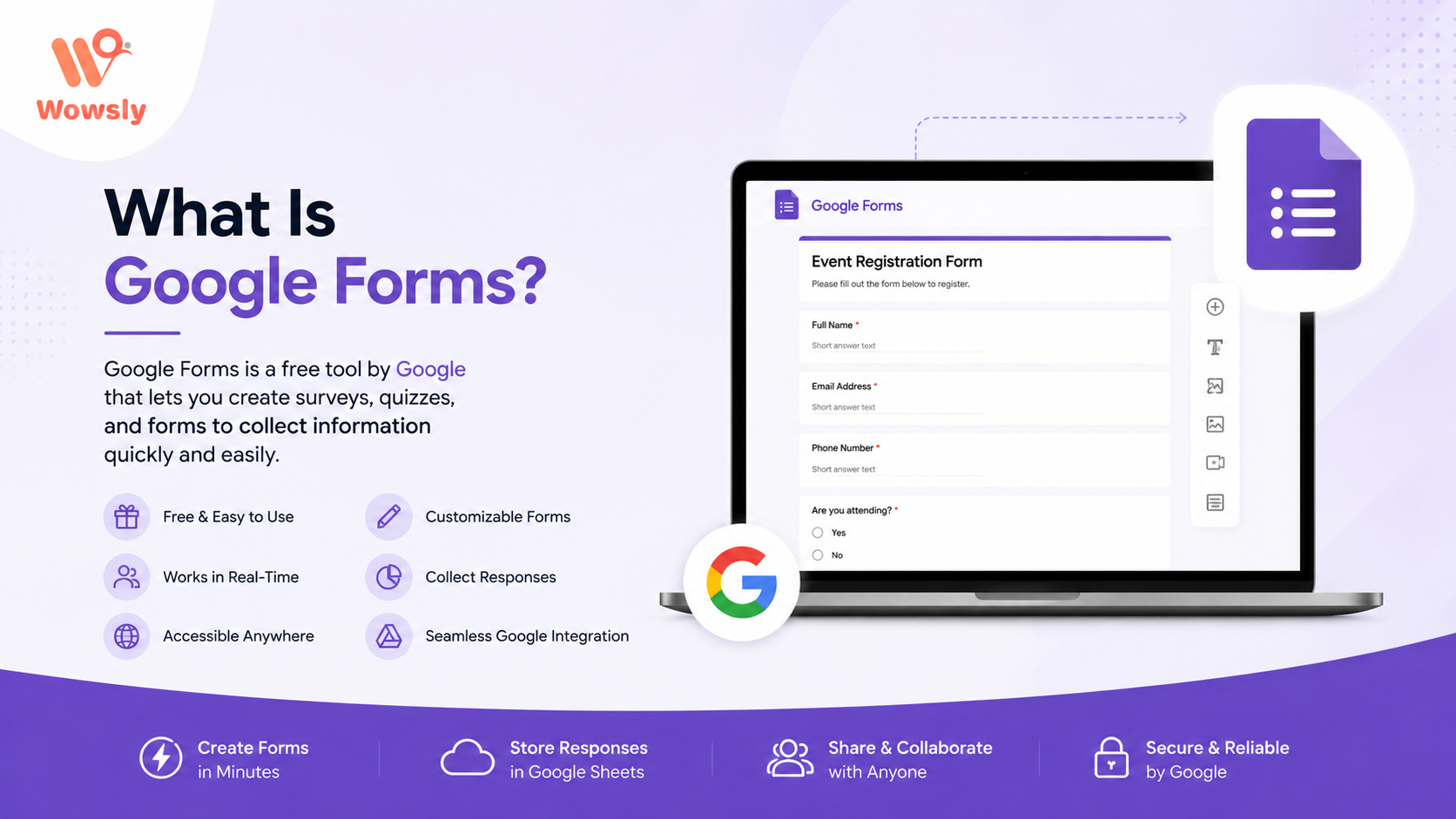
Google Forms is a form-building and data-collection tool.
An organiser can create fields such as:
- Name
- Mobile number
- Company
- Job title
- Event preferences
- Other questions
The registration link can then be shared with potential attendees.
For basic events, this can be a practical starting point.
However, Google Forms is not designed specifically around the complete event management workflow.
For example, after someone submits a form, the organiser may still need separate tools or manual processes for:
- Ticket payments
- QR tickets
- Digital invitations
- Check-in
- Attendance tracking
- Event communication
- Reporting
That can lead to a fragmented workflow.
What Is an Event Registration Platform?
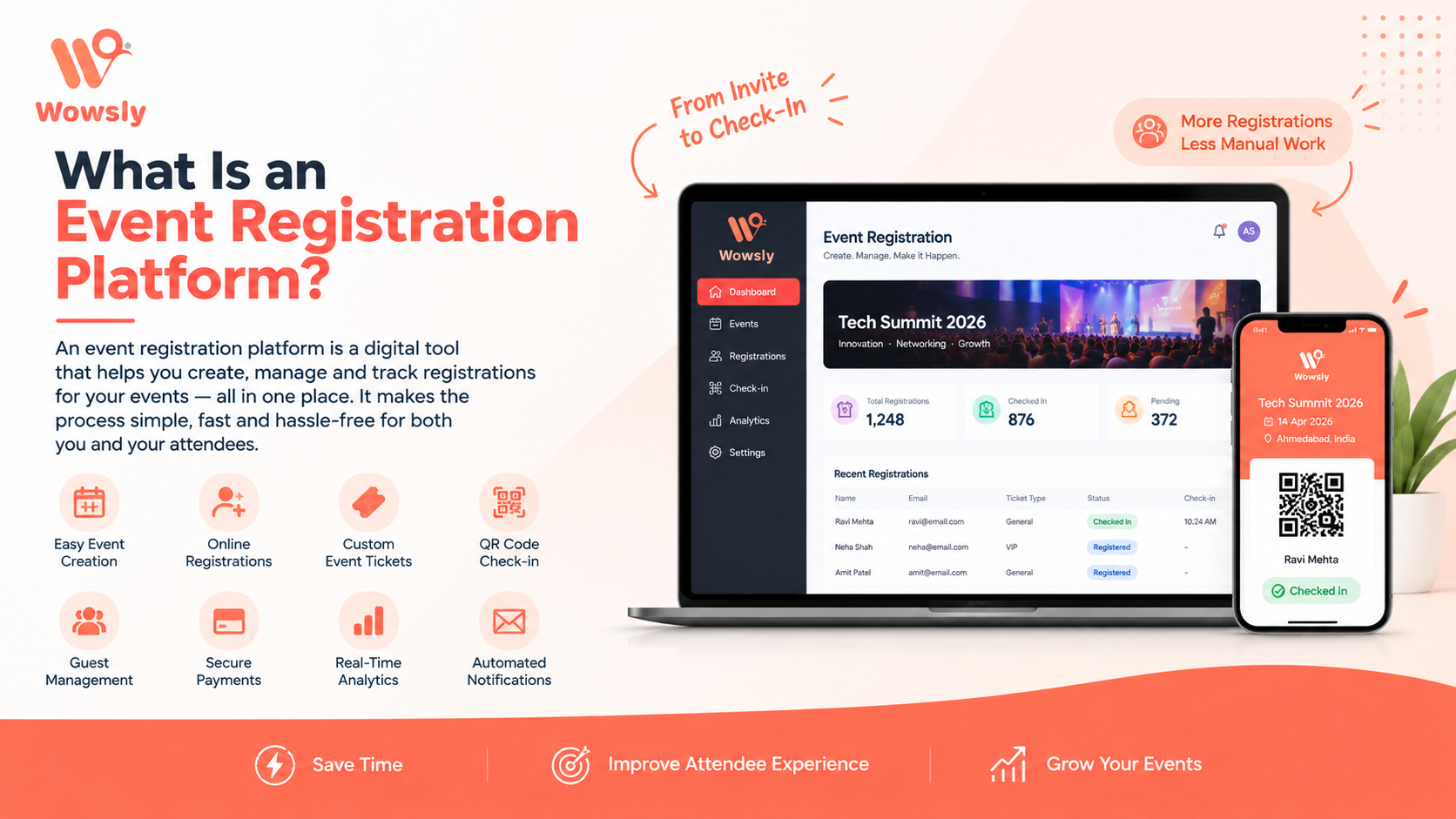
An event registration platform is designed specifically for managing event registrations and related event operations.
Depending on the platform, organisers may be able to manage:
- Event pages
- Registration forms
- Ticket types
- Online payments
- Digital invitations
- QR passes
- Check-in
- Attendee information
- Communication
- Analytics
The important difference is connection.
Instead of collecting information in one place and then moving it to another system, the attendee journey can be managed through one connected platform.
Google Forms vs Event Registration Platforms
The difference becomes clearer when looking at a real event.
Imagine you are organising a 1,000-person business conference.
With Google Forms, you may use:
Google Forms → Spreadsheet → Payment Tool → WhatsApp → Manual Confirmation → Guest List → Manual Check-In
With a dedicated event platform, the workflow can become:
Event Page → Registration → Payment → Digital Pass → QR Check-In → Attendance Data
The second approach reduces the number of disconnected steps.
Where Google Forms Works Well
Google Forms is not a bad tool.
It can be useful when the event is simple.
Small Internal Events
For a team meeting or internal gathering, a basic registration form may be all you need.
Free Workshops
If there is no payment or ticketing requirement, a simple form can collect attendee details.
Quick Surveys
Forms can be useful for collecting feedback or preferences.
Early Planning
Organisers can use forms during the initial planning stage to understand interest.
The problem starts when organisers try to use a basic form as the foundation for a much more complex event workflow.
Where Google Forms Falls Short for Events
1. Registration Is Only One Part
A form collects information, but an event requires much more than data collection.
2. Ticketing Can Become Separate
For paid events, organisers may need another system for payments and ticket management.
3. QR Check-In Requires Another Workflow
A registration form alone does not create a complete venue check-in experience.
4. Communication Can Become Manual
Organisers may end up using separate WhatsApp or email processes for confirmations and reminders.
Why Event Organisers Are Moving to Dedicated Platforms
The biggest reason is simple:
Events have become more digital.
Attendees expect convenient registration, quick communication and smoother event entry.
Organisers also need better visibility into what is happening before and during the event.
A dedicated platform can bring multiple workflows together.
Online Registration
A professional event registration experience should make it easy for attendees to register from their phones or computers.
Organisers may need:
- Custom registration fields
- Attendee categories
- Approval workflows
- Registration limits
- Ticket types
- Confirmation messages
A dedicated platform can make these processes easier to manage.
Ticketing and Payments
Paid events introduce another layer of complexity.
Organisers may need to manage:
- Ticket categories
- Early-bird tickets
- VIP tickets
- Paid registrations
- Payment confirmations
- Ticket status
- Refund or cancellation processes
A dedicated event platform can connect ticketing with registration instead of requiring organisers to manually reconcile separate records.
Wowsly supports event ticketing and payment collection as part of its broader event platform.
QR Code Check-In
Registration does not end when someone signs up.
The next important moment is arrival at the venue.
A QR-based check-in process can allow attendees to present a digital pass and enter without a lengthy manual verification process.
This can be particularly useful for:
- Conferences
- Exhibitions
- Corporate events
- Workshops
- Seminars
- Ticketed events
Wowsly supports QR-code invitations, e-ticketing and guest check-in as part of its event technology offering.
Digital Invitations and Communication
Modern event registration often starts with an invitation.
Organisers may share event details through:
- Social media
- Event websites
- Direct links
The experience becomes stronger when the invitation connects directly to registration.
Wowsly supports QR-code invitations through WhatsApp and email, helping organisers connect event communication with the registration journey.
Attendee Management
Once registrations start coming in, organisers need to know who is attending.
A dedicated platform can help organise information such as:
- Registered attendees
- Paid attendees
- VIP guests
- Speakers
- Sponsors
- Exhibitors
- Checked-in attendees
This is much easier when the data remains within one event workflow.
Real-Time Event Data
Event organisers need more than a list of names.
They may want to understand:
- How many people registered?
- How many tickets were sold?
- How many attendees checked in?
- Which ticket category is most popular?
- What is the attendance rate?
A connected event platform can make this information easier to access and act on.
Google Forms vs Event Registration Platform: Comparison
| Feature | Google Forms | Dedicated Event Platform |
| Basic Registration | ✅ | ✅ |
| Custom Registration | ✅ | ✅ |
| Event Website | Limited | ✅ |
| Ticketing | ❌ | ✅ |
| Online Payments | Separate Setup | ✅ |
| QR Event Pass | Separate Setup | ✅ |
| QR Check-In | Separate Workflow | ✅ |
| Attendee Management | Basic | Advanced |
| Digital Invitations | Separate Tools | ✅ |
| Event Communication | Separate Tools | ✅ / Platform Dependent |
| Attendance Tracking | Manual Setup | ✅ |
| Event Analytics | Limited | ✅ |
| Multiple Event Workflows | Limited | ✅ |
| Post-Event Data | Basic | Advanced |
How Wowsly Helps
Wowsly is designed to go beyond basic registration.
As an event technology platform, Wowsly brings different event workflows together.
Event Website
Organisers can create an event website with event information and registration options.
Online Registration
Collect attendee information digitally instead of relying on paper forms or scattered spreadsheets.
Digital Invitations
Send QR-code invitations through WhatsApp and email.
E-Ticketing
Sell tickets and manage digital event access.
QR Check-In
Use QR-based entry to simplify the attendee check-in process.
Attendee Management
Keep attendee information organised throughout the event journey.
Event Engagement
Continue interacting with attendees beyond registration and entry.
Wowsly supports different event types including conferences, workshops, trade shows and exhibitions.
Industry Use Cases
Corporate Events
For corporate events, organisers may need registration, invitations, attendee tracking and professional check-in.
Conferences
Conferences often involve multiple attendee categories, ticket types and large visitor volumes.
Exhibitions
Exhibition organisers need to manage visitors, exhibitors and entry efficiently.
Workshops
Workshops can benefit from simple registration, reminders and attendance tracking.
Seminars
A digital registration platform can simplify registration and event-day entry.
Trade Shows
Trade shows require efficient visitor registration and accurate attendee information.
Checklist: Do You Need an Event Registration Platform?
Ask yourself:
- Will more than 100 people attend?
- Do you need paid tickets?
- Do you need online payments?
- Do attendees need QR passes?
- Do you need QR check-in?
- Will you send WhatsApp or email invitations?
- Do you need attendance reports?
- Are there multiple attendee categories?
- Do you need event analytics?
- Are you currently using spreadsheets to manage attendees?
- Are different tools being used for registration and check-in?
If you answered yes to several of these questions, a dedicated event registration platform may be more suitable than a basic form.
Best Practices for Choosing an Event Registration Platform
Look Beyond Registration
Do not choose a platform only because it has a registration form.
Look at the complete event journey.
Check Payment Options
For paid events, make sure the platform supports the payment workflow your audience needs.
Check QR Check-In
Fast event entry can have a major impact on attendee experience.
Look at Attendee Data
Make sure organisers can easily access and manage attendee information.
Consider Communication
Check whether invitations, reminders and updates can be connected with registration.
Think About Scale
A platform should be able to support your event as attendee numbers grow.
Evaluate Reporting
Registration numbers alone are not enough. Look for useful attendance and event insights.
Future of Event Registration in India
Event registration is moving from simple online forms towards connected event experiences.
The next generation of event technology is likely to combine:
- Online registration
- Digital tickets
- QR passes
- Mobile-first experiences
- Automated communication
- QR check-in
- Attendee networking
- Real-time analytics
- Personalised event journeys
Indian event technology platforms are already bringing registration, ticketing, QR check-in and analytics into unified workflows.
The direction is clear: organisers want fewer disconnected tools and more control from one place.
Frequently Asked Questions
Is Google Forms good for event registration?
Google Forms can work well for simple, free or small events. For larger or more complex events, organisers may need additional tools for payments, ticketing, QR check-in and attendee management.
What is better than Google Forms for event registration?
A dedicated event registration platform can be a better choice when you need registration, ticketing, payments, digital invitations, QR check-in and attendee management together.
Can Google Forms generate event tickets?
Google Forms itself is primarily a form and data-collection tool. A complete ticketing workflow generally requires additional tools or integrations.
Can an event platform accept online payments?
Many event platforms support online payments. The exact payment methods depend on the platform and configuration.
Can Wowsly replace Google Forms for event registration?
For organisers who need more than basic data collection, Wowsly can provide a broader event workflow covering registration, invitations, e-ticketing, QR check-in and attendee management.
Is Wowsly an event management software?
Wowsly is positioned as an event technology platform that helps organisers create and manage events using digital invitations, registration, e-ticketing, QR check-in and other event technology features.
Google Forms remains useful for simple information collection.
But when an event becomes larger or more complex, registration is only the beginning.
Organisers may need ticketing, payments, digital invitations, QR passes, check-in, attendee management and event insights. Managing all these activities through separate tools can create unnecessary work.
A dedicated event registration platform brings these workflows closer together.
For Indian organisers planning conferences, exhibitions, corporate events, workshops, seminars and other professional events, Wowsly provides a connected event technology platform for registration, invitations, e-ticketing, QR check-in and attendee management.
The goal is not simply to replace Google Forms.
The goal is to move from basic data collection to a complete digital event experience.
Ready to Move Beyond Basic Event Forms?
If your event has moved beyond simple registration, it may be time to use a platform designed specifically for events.
Wowsly helps organisers manage registrations, digital invitations, e-tickets, QR check-in and attendee experiences from one event technology platform.
Create your next event with Wowsly and make the entire attendee journey simpler.
About the Author
Nilesh Tripathi is the Founder of Wowsly, an event technology platform that helps organisers create and manage digital event experiences.
His work focuses on event technology, digital transformation, event registration, ticketing, attendee engagement, QR check-in and modern event management. Through Wowsly, Nilesh shares practical insights that help businesses, event organisers, conference teams, exhibition organisers and MICE professionals adopt smarter technology for successful events.