
Best Event Management Platforms in the USA (2026): Features, Pricing & Expert Comparison
The events industry in the United States has evolved dramatically over the past decade. From corporate conferences and trade shows to nonprofit fundraisers, university events, networking meetups, and product launches, organizations are expected to deliver seamless, technology-driven experiences for attendees.
Modern event attendees expect far more than a simple registration form. They want a fast registration process, personalized communication, mobile-friendly event pages, instant confirmations, QR code check-ins, secure online payments, and real-time event updates. Event organizers, on the other hand, need efficient tools that reduce manual work, improve coordination, and provide actionable insights before, during, and after the event.
Managing all of these moving parts using spreadsheets, email chains, paper guest lists, and disconnected software often leads to unnecessary stress, operational delays, and a poor attendee experience.
This is where event management platforms make a difference.
An event management platform helps businesses centralize every stage of the event lifecycle—from creating an event website and sending invitations to collecting registrations, managing ticket sales, checking in attendees, communicating with guests, and analyzing event performance.
Whether you're hosting a leadership summit in New York, a healthcare conference in Chicago, a startup networking event in Austin, or a university seminar in California, selecting the right platform can significantly improve operational efficiency while enhancing the attendee experience.
In this guide, we'll compare some of the leading event management platforms available in the USA, explain the features that matter most, and help you identify the best solution based on your event goals.
Why Businesses in the USA Need Event Management Software
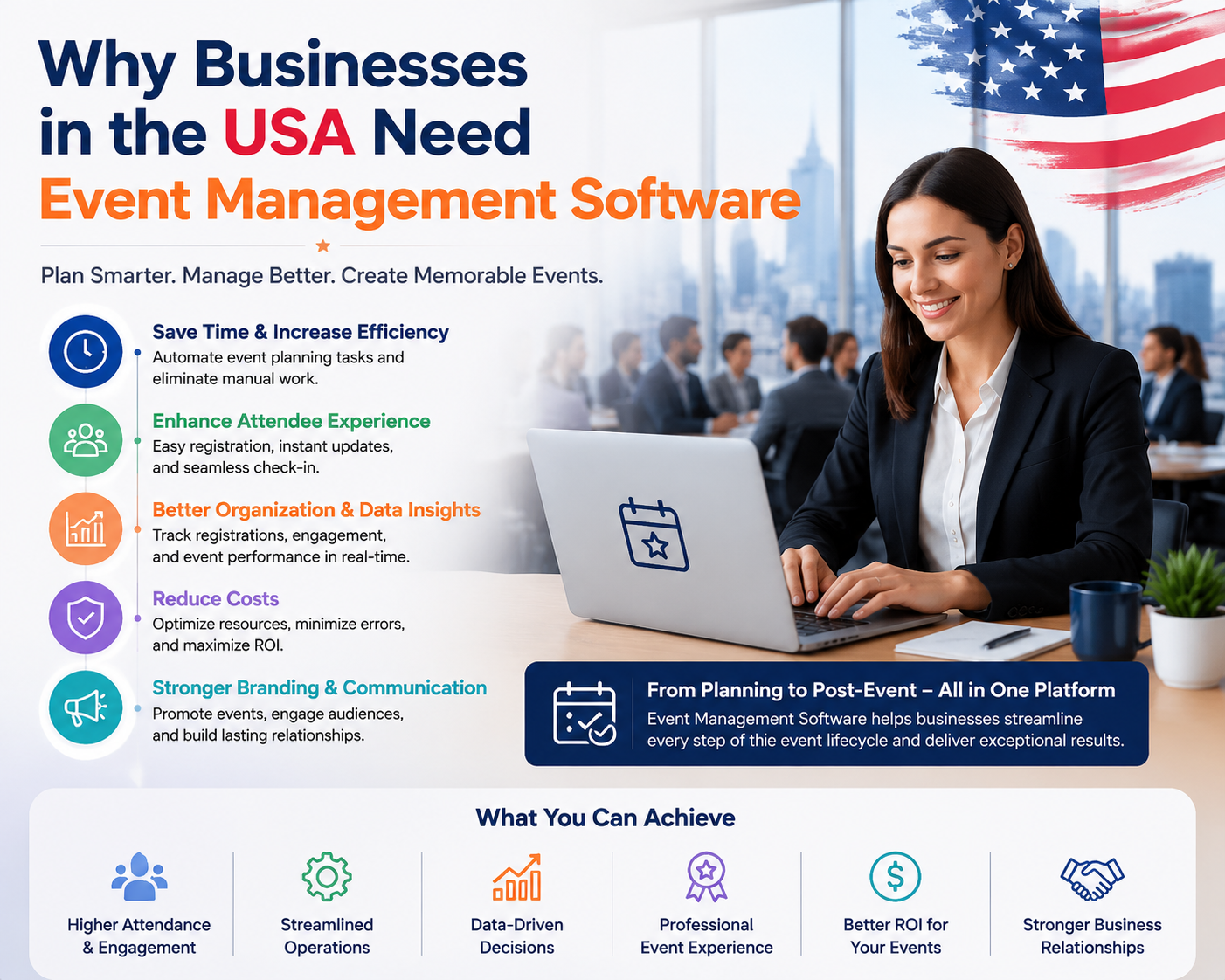
Planning a successful event requires coordinating dozens of tasks simultaneously. Even relatively small events involve invitations, attendee registration, payments, schedules, reminders, speakers, vendors, venues, and post-event communication.
As events become larger and more complex, manual processes quickly become inefficient.
Businesses across the United States increasingly rely on event technology because it helps them:
- Reduce administrative workload
- Eliminate manual data entry
- Improve attendee communication
- Accelerate event registration
- Simplify guest management
- Enable secure online payments
- Speed up event check-ins
- Generate meaningful event reports
- Improve overall attendee satisfaction
Instead of using separate applications for registration, invitations, ticketing, email marketing, and attendance tracking, organizations can manage everything from one centralized platform.
This not only saves time but also creates a consistent experience for attendees from registration to post-event follow-up.
What Is an Event Management Platform?
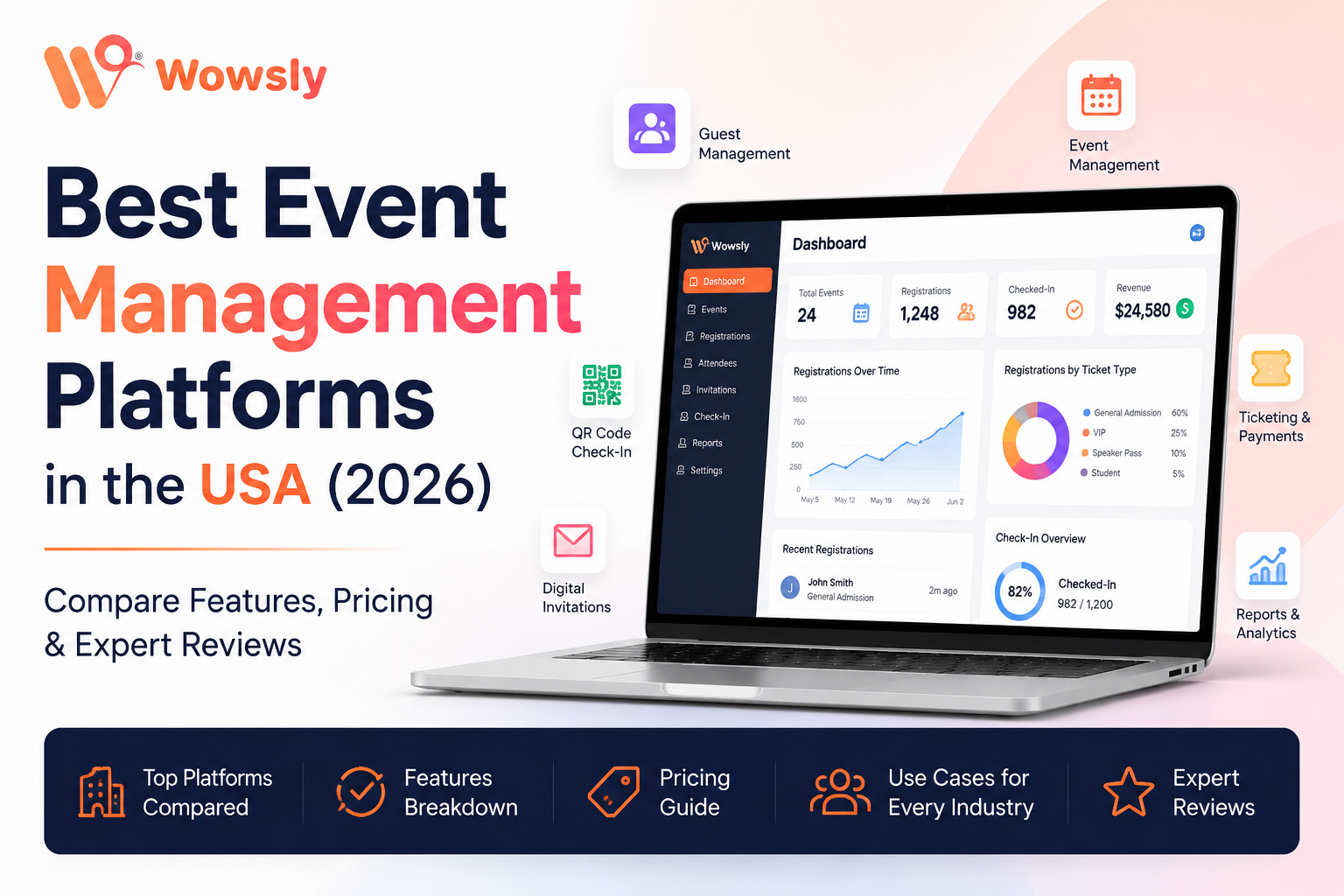
An event management platform is software designed to help organizations plan, manage, promote, and execute events through a single integrated system.
Rather than juggling multiple tools, organizers can handle key event operations from one dashboard.
Typical capabilities include:
- Online event registration
- Digital invitations
- RSVP management
- Event websites
- Ticket sales
- QR code generation
- Contactless attendee check-in
- Guest management
- Payment collection
- Event reporting
- Email notifications
- Mobile event access
Some platforms focus primarily on ticket sales, while others provide a complete event management ecosystem suitable for corporate conferences, universities, nonprofits, and enterprise organizations.
Choosing the right solution depends on your event size, business requirements, budget, and desired attendee experience.
Benefits of Using Event Management Software
1. Faster Event Registration
Online registration allows attendees to register from their desktop, tablet, or smartphone within minutes.
Instead of manually collecting attendee information through email or spreadsheets, organizers receive structured registration data automatically.
Benefits include:
- Reduced manual work
- Accurate attendee information
- Instant confirmations
- Better registration tracking
2. Better Guest Communication
Successful events depend on clear communication.
Modern event platforms automate:
- Registration confirmations
- Reminder emails
- Event updates
- Schedule changes
- Speaker announcements
- Venue directions
- Thank-you emails
Automated communication improves attendee engagement while reducing administrative effort.
3. Professional Event Websites
A dedicated event website provides attendees with everything they need before the event.
Typical information includes:
- Event overview
- Agenda
- Speaker profiles
- Venue information
- Maps
- Registration forms
- Sponsor details
- Frequently Asked Questions
A well-designed event website also strengthens your brand and improves attendee confidence.
4. QR Code Check-In
Long registration lines create a poor first impression.
QR code check-in allows attendees to scan their confirmation code and enter the venue within seconds.
Advantages include:
- Faster entry
- Reduced waiting times
- Accurate attendance tracking
- Contactless experience
- Improved security
This feature is especially valuable for conferences, exhibitions, trade shows, and corporate events with large attendance.
5. Centralized Guest Management
Managing hundreds—or even thousands—of attendees manually is difficult.
Guest management tools help organizers:
- Track registrations
- Segment attendees
- Identify VIP guests
- Manage speakers
- Organize exhibitors
- Monitor attendance
Everything is stored in one centralized database, making it easier to communicate with attendees and generate reports.
6. Secure Online Payments
For paid events, integrated payment processing simplifies ticket sales.
Businesses can:
- Accept online payments
- Track revenue
- Generate invoices
- Monitor refunds
- View financial reports
This eliminates the need for separate payment systems and manual reconciliation.
Features to Look for When Choosing an Event Management Platform
Not every platform offers the same capabilities. Before making a decision, evaluate the features that matter most for your organization.
Event Registration
Look for customizable registration forms that support mobile devices and collect attendee information efficiently.
RSVP Management
An automated RSVP system helps track invitations, confirmations, declines, and reminder emails.
QR Code Invitations
QR-enabled invitations simplify attendee verification while creating a modern digital experience.
Event Website Builder
A customizable event website helps communicate important information while strengthening your event branding.
Ticketing
Choose software that supports free and paid ticket types, discount codes, and secure online payments.
QR Code Check-In
Fast attendee verification improves guest satisfaction while reducing entry delays.
Analytics
Reporting tools should provide insights into:
- Registration trends
- Attendance rates
- Ticket sales
- Revenue
- Engagement
- Event performance
Who Uses Event Management Platforms?
Event technology is no longer limited to professional event agencies.
Organizations using event software include:
- Corporate businesses
- Marketing teams
- Human Resources departments
- Universities
- Colleges
- Nonprofit organizations
- Healthcare providers
- Chambers of Commerce
- Government organizations
- Professional associations
- Startup communities
- Conference organizers
- Trade show exhibitors
Regardless of industry, the objective remains the same: simplify event planning while delivering a better attendee experience.
Top Event Management Platforms in the USA (2026)
Choosing the right event management platform depends on the type of events you organize, your budget, attendee size, required integrations, and the overall experience you want to deliver.
Some platforms are designed for enterprise conferences, while others focus on public ticketed events or networking experiences. There are also platforms that simplify invitations, RSVP management, registration, and attendee check-in for organizations that want an all-in-one workflow.
Below are some of the most widely recognized event management platforms used by organizations across the United States.
1. Wowsly
Best For
- Corporate Events
- Business Meetings
- Conferences
- Associations
- Universities
- Business Networking Events
- Internal Company Events
Overview
Wowsly is an event technology platform focused on simplifying the complete event journey—from creating invitations to managing registrations and checking in attendees.
Instead of switching between multiple applications, organizers can manage several event tasks through one platform.
Depending on your selected plan and configuration, Wowsly offers features such as:
- Digital Invitations
- QR Code Invitations
- RSVP Management
- Event Registration
- Event Websites
- Guest Management
- QR Code Check-In
- Online Ticketing
- Payment Collection
This makes it particularly attractive for organizations that want a streamlined workflow without relying on multiple disconnected systems.
Key Features
- Custom Event Pages
- QR Invitation System
- Online Registration Forms
- Digital RSVP Tracking
- Guest Database
- QR Check-In
- Ticket Management
- Payment Collection
- Email Communication
Advantages
✔ Easy registration process
✔ Modern digital invitations
✔ Contactless QR check-in
✔ Centralized attendee management
✔ Branded event pages
✔ Suitable for recurring corporate events
Things to Consider
As with any platform, businesses should evaluate whether the available integrations, reporting capabilities, and pricing align with their specific event requirements. If you rely on specialized third-party systems, confirm compatibility before making a decision.
Ideal Organizations
- Small Businesses
- Medium Businesses
- Event Agencies
- Universities
- Chambers of Commerce
- Associations
- Corporate HR Teams
- Marketing Teams
2. Eventbrite
Best For
- Public Events
- Paid Ticketed Events
- Workshops
- Concerts
- Community Events
Overview
Eventbrite is one of the best-known event ticketing platforms in the United States. It allows organizers to create public event listings, sell tickets online, and manage attendee registration.
A major advantage of Eventbrite is its built-in marketplace, where users can discover public events.
Key Features
- Online Ticket Sales
- Event Discovery Marketplace
- Mobile Ticket Scanning
- Registration Management
- Basic Reporting
Advantages
✔ Well-known brand
✔ Easy to launch events
✔ Strong ticketing experience
✔ Large user base
Limitations
Eventbrite is primarily designed around ticketing and public event discovery. Organizations seeking extensive branding, custom event experiences, or complex corporate workflows may find they need additional tools.
Ideal Organizations
- Event Organizers
- Community Groups
- Artists
- Workshop Hosts
- Public Conferences
3. Cvent
Best For
- Enterprise Organizations
- Fortune 500 Companies
- Large Conferences
- International Events
Overview
Cvent is widely used by large enterprises for managing complex meetings, conferences, and corporate events.
The platform offers advanced functionality, including venue sourcing, attendee management, reporting, integrations, and enterprise-grade security.
Key Features
- Advanced Registration
- Venue Management
- Event Marketing
- Attendee Management
- Mobile Event Apps
- Analytics
- Enterprise Integrations
Advantages
✔ Enterprise-ready
✔ Powerful reporting
✔ Large event support
✔ Extensive integrations
✔ Strong security
Limitations
Cvent's feature-rich environment can require more training and may be more than smaller organizations need. Costs can also be higher compared to platforms designed for SMBs.
Ideal Organizations
- Enterprise Companies
- Government Agencies
- Large Associations
- Global Conferences
4. Whova
Best For
- Conferences
- Expos
- Networking Events
- Professional Associations
Overview
Whova is known for helping event organizers increase attendee engagement through networking tools, mobile apps, discussion boards, and interactive agendas.
Rather than focusing only on registration, Whova emphasizes the attendee experience during the event.
Key Features
- Mobile Event App
- Agenda Builder
- Speaker Profiles
- Networking Features
- Community Discussions
- Surveys
- Announcements
Advantages
✔ Excellent attendee engagement
✔ Networking capabilities
✔ Interactive mobile experience
✔ Strong conference features
Limitations
Organizations primarily looking for invitation management, QR invitation workflows, or highly customized registration experiences should compare Whova with other platforms to determine the best fit.
Ideal Organizations
- Technology Conferences
- Professional Associations
- Business Networking Events
- Educational Conferences
Quick Feature Comparison
| Feature | Wowsly | Eventbrite | Cvent | Whova |
| Event Registration | ✅ | ✅ | ✅ | ✅ |
| Event Website | ✅ | Limited | ✅ | ✅ |
| QR Invitations | ✅ | ❌ | Limited | ❌ |
| RSVP Management | ✅ | Basic | ✅ | Basic |
| QR Check-In | ✅ | ✅ | ✅ | ✅ |
| Ticketing | ✅ | ✅ | ✅ | Optional |
| Payment Collection | ✅ | ✅ | ✅ | Depends on setup |
| Guest Management | ✅ | Basic | ✅ | ✅ |
| Mobile Friendly | ✅ | ✅ | ✅ | ✅ |
Note: Features may vary by plan or product updates. Always verify current functionality with each vendor before making a purchasing decision.
Which Platform Is Right for You?
There isn't a single "best" platform for every organization.
Instead, the right choice depends on your goals:
- Corporate events and internal business meetings: Wowsly or Cvent
- Public ticketed events: Eventbrite
- Large enterprise conferences: Cvent
- Networking-focused conferences: Whova
- Organizations seeking a streamlined invitation → registration → QR check-in workflow: Wowsly
5. Bizzabo
Best For
- Enterprise Conferences
- B2B Events
- Customer Conferences
- Brand Experience Events
- Multi-Day Events
Overview
Bizzabo is a well-known event experience platform designed for organizations that host large-scale conferences and customer engagement events. The platform combines registration, event websites, agenda management, networking, analytics, and marketing tools to create engaging event experiences.
Many enterprise organizations use Bizzabo to manage annual conferences, executive summits, and large customer events where attendee engagement is a priority.
Key Features
- Event Registration
- Event Website Builder
- Mobile Event App
- Speaker Management
- Session Scheduling
- Networking Features
- Event Analytics
- Sponsor Management
Pros
✔ Professional user experience
✔ Strong branding capabilities
✔ Enterprise-level analytics
✔ Excellent attendee engagement
✔ Suitable for large conferences
Considerations
Bizzabo is typically best suited for medium-to-large organizations. Smaller businesses or teams with straightforward event needs may prefer a simpler platform.
Best For
- Technology Companies
- SaaS Businesses
- Corporate Conferences
- Enterprise Marketing Teams
6. EventMobi
Best For
- Hybrid Events
- Conferences
- Associations
- Educational Events
Overview
EventMobi focuses on improving attendee engagement before, during, and after events. It provides mobile event apps, registration, agendas, speaker profiles, networking, and event analytics.
The platform is commonly used by associations, educational institutions, and organizations hosting hybrid events.
Key Features
- Mobile Event App
- Registration
- Agenda Builder
- Speaker Profiles
- Push Notifications
- Polls & Surveys
- Networking
- Analytics
Pros
✔ Great attendee engagement
✔ Strong mobile experience
✔ Easy agenda management
✔ Hybrid event support
Considerations
Organizations primarily looking for invitation management, QR invitation workflows, or simplified registration should compare EventMobi with platforms that specialize in those areas.
7. Swoogo
Best For
- Corporate Registration
- Conferences
- Marketing Events
Overview
Swoogo is known for flexible registration workflows and customizable event forms. Organizations with complex attendee requirements often choose Swoogo because of its customization capabilities.
Key Features
- Registration Builder
- Event Websites
- Email Automation
- Reporting
- Integrations
- Custom Workflows
Pros
✔ Highly customizable
✔ Strong registration features
✔ Good reporting
✔ Enterprise integrations
Considerations
Advanced customization can require more setup time than simpler event platforms.
8. Splash
Best For
- Marketing Events
- Product Launches
- Brand Experiences
- VIP Events
Overview
Splash focuses on branded event experiences and marketing campaigns. Companies often use it for customer events, product launches, executive dinners, and invitation-only experiences.
Key Features
- Beautiful Event Pages
- Invitation Management
- Registration
- Marketing Automation
- Reporting
- Branding
Pros
✔ Excellent branding
✔ Attractive landing pages
✔ Marketing-focused
✔ Easy invitation workflows
Considerations
Organizations needing advanced conference management or enterprise attendee workflows should evaluate whether Splash meets those operational requirements.
9. Accelevents
Best For
- Virtual Events
- Hybrid Events
- Fundraisers
- Conferences
Overview
Accelevents supports both virtual and in-person events with registration, ticketing, live streaming, exhibitor management, networking, and analytics.
It is a popular option for organizations running hybrid events with online participants.
Key Features
- Registration
- Ticketing
- Live Streaming
- Virtual Expo
- Networking
- Analytics
Pros
✔ Supports hybrid events
✔ Virtual event capabilities
✔ Easy registration
✔ Good reporting
Considerations
Organizations hosting only in-person corporate events may not require all of its virtual event functionality.
10. Hopin
Best For
- Virtual Conferences
- Online Summits
- Webinars
- Hybrid Events
Overview
Hopin became widely recognized for virtual events by bringing together live streaming, networking, sessions, and attendee interaction within one platform.
Organizations running digital-first events often consider Hopin for online experiences.
Key Features
- Virtual Sessions
- Live Streaming
- Networking
- Expo Booths
- Registration
- Analytics
Pros
✔ Virtual event expertise
✔ Interactive attendee experience
✔ Easy online participation
✔ Scalable
Considerations
If your primary focus is in-person corporate events with QR invitations, guest management, and physical venue operations, compare Hopin with platforms designed specifically for those workflows.
Feature Comparison Matrix
| Platform | Corporate Events | Public Events | Conferences | Hybrid Events | QR Check-In | Event Website | Registration | Ticketing |
| Wowsly | ⭐⭐⭐⭐⭐ | ⭐⭐⭐ | ⭐⭐⭐⭐ | ⭐⭐⭐ | ✅ | ✅ | ✅ | ✅ |
| Eventbrite | ⭐⭐⭐ | ⭐⭐⭐⭐⭐ | ⭐⭐⭐ | ⭐ | ✅ | Limited | ✅ | ✅ |
| Cvent | ⭐⭐⭐⭐⭐ | ⭐⭐ | ⭐⭐⭐⭐⭐ | ⭐⭐⭐⭐ | ✅ | ✅ | ✅ | ✅ |
| Whova | ⭐⭐⭐⭐ | ⭐⭐ | ⭐⭐⭐⭐⭐ | ⭐⭐⭐⭐ | ✅ | ✅ | ✅ | Optional |
| Bizzabo | ⭐⭐⭐⭐⭐ | ⭐⭐ | ⭐⭐⭐⭐⭐ | ⭐⭐⭐⭐ | ✅ | ✅ | ✅ | ✅ |
| EventMobi | ⭐⭐⭐⭐ | ⭐⭐ | ⭐⭐⭐⭐ | ⭐⭐⭐⭐⭐ | ✅ | ✅ | ✅ | Optional |
| Swoogo | ⭐⭐⭐⭐⭐ | ⭐⭐ | ⭐⭐⭐⭐ | ⭐⭐⭐ | Depends | ✅ | ✅ | Optional |
| Splash | ⭐⭐⭐⭐ | ⭐⭐⭐ | ⭐⭐⭐ | ⭐⭐ | Limited | ✅ | ✅ | Optional |
| Accelevents | ⭐⭐⭐ | ⭐⭐⭐ | ⭐⭐⭐⭐ | ⭐⭐⭐⭐⭐ | ✅ | ✅ | ✅ | ✅ |
| Hopin | ⭐⭐⭐ | ⭐⭐ | ⭐⭐⭐⭐ | ⭐⭐⭐⭐⭐ | Limited | ✅ | ✅ | Optional |
Note: Ratings are generalized to illustrate typical strengths. Platform capabilities and pricing can change over time, so always review the latest product information before making a decision.
Which Platform Fits Your Organization?
Small Businesses
If you organize business meetings, workshops, networking events, or local conferences, prioritize platforms that combine registration, invitations, attendee communication, and check-in without unnecessary complexity.
Medium-Sized Companies
Look for solutions that support branded event websites, automated workflows, QR check-in, and reporting while remaining easy for marketing and HR teams to manage.
Enterprise Organizations
Large conferences and multi-day events often require advanced reporting, integrations, role-based access, and scalable attendee management. Enterprise-focused platforms may be a better fit for these needs.
Pricing Models: What Should You Expect?
One of the biggest questions event organizers ask is:
"How much does event management software cost?"
The answer depends on several factors, including the size of your event, the number of attendees, required features, integrations, and whether you host events occasionally or throughout the year.
Most event management platforms in the USA use one of the following pricing models:
1. Per Event Pricing
You pay only when hosting an event.
Best for:
- Small businesses
- Occasional events
- Community organizations
2. Monthly Subscription
A recurring monthly plan with access to platform features.
Best for:
- Marketing teams
- HR departments
- Companies hosting frequent events
3. Annual Enterprise Plans
Designed for organizations managing multiple events every year.
Typically includes:
- Advanced reporting
- Premium support
- Enterprise security
- Team management
- Custom integrations
4. Ticket-Based Fees
Some providers charge a percentage or fixed fee per ticket sold.
Best suited for:
- Concerts
- Public events
- Workshops
- Paid conferences
Important Tip
When comparing pricing, don't look only at the subscription fee.
Also consider:
- Setup costs
- Transaction fees
- Payment processing charges
- Premium feature costs
- Additional attendee charges
- Customer support availability
The most affordable platform isn't always the most cost-effective if it requires purchasing multiple add-ons.
How to Choose the Right Event Management Platform
Before selecting software, define your event goals.
Ask yourself:
What type of events do we organize?
Examples:
- Corporate Meetings
- Conferences
- Trade Shows
- Fundraisers
- University Events
- Product Launches
- Networking Events
Different event types require different capabilities.
How many attendees do we expect?
Small events have different requirements than conferences with thousands of attendees.
Choose software that can grow with your organization.
Do we need online payments?
If attendees purchase tickets or registrations online, integrated payment processing can simplify financial management.
Do we need QR Code Check-In?
QR check-in helps reduce waiting times and creates a smoother arrival experience.
It is particularly valuable for:
- Conferences
- Corporate Events
- Exhibitions
- Business Networking Events
Is Branding Important?
Professional event pages help organizations create a consistent attendee experience.
Look for:
- Custom logos
- Brand colors
- Custom domains (if available)
- Personalized emails
Do We Need Reporting?
Analytics help answer questions like:
- How many people registered?
- How many attended?
- Which ticket type sold best?
- Where did registrations come from?
- What was the overall event ROI?
Best Event Management Software by Industry
Different industries have different priorities.
Corporate Companies
Typical requirements:
- Employee events
- Leadership meetings
- Annual conferences
- Sales kickoffs
- Product launches
Important features:
- Event websites
- QR invitations
- Registration
- Guest management
- Analytics
Universities & Colleges
Educational institutions often organize:
- Orientation programs
- Alumni events
- Career fairs
- Graduation ceremonies
- Academic conferences
Recommended features:
- Online registration
- Student check-in
- QR attendance
- Event schedules
Nonprofit Organizations
Fundraisers and charity events require:
- Donations
- Ticketing
- Volunteer registration
- Guest communication
Priority features:
- Online payments
- RSVP
- Registration
- Reporting
Healthcare Organizations
Healthcare events frequently involve:
- Medical conferences
- CME programs
- Hospital seminars
- Training sessions
Priority features:
- Secure attendee management
- Registration
- QR check-in
- Session management
Trade Shows
Trade shows require:
- Exhibitor registration
- Visitor registration
- Badge generation
- Fast entry
Most important features:
- QR code check-in
- Registration
- Event website
- Analytics
Marketing Agencies
Marketing teams often manage:
- Product launches
- VIP events
- Customer experiences
- Networking events
Important capabilities include:
- Branded event pages
- Invitations
- RSVP management
- Guest segmentation
- Post-event analytics
Common Mistakes When Choosing Event Software
Many organizations select software based only on price.
Instead, avoid these common mistakes.
Choosing Software Without a Long-Term Plan
Think about future events.
Can the platform scale as your events grow?
Ignoring the Attendee Experience
The registration process should be fast and mobile-friendly.
Long forms reduce registrations.
Buying Multiple Tools
Many organizations purchase:
- Registration software
- Invitation software
- Ticketing software
- Check-in software
Managing separate systems increases complexity.
An integrated platform can reduce duplicate work and improve data consistency.
Overlooking Customer Support
Before making a decision, evaluate:
- Documentation
- Live chat
- Email support
- Response times
- Onboarding assistance
Reliable support becomes especially important during live events.
Event Software Buyer Checklist
Before purchasing, confirm the platform supports:
✅ Online Registration
✅ Event Website
✅ Digital Invitations
✅ QR Invitations
✅ RSVP Tracking
✅ Ticketing
✅ Payment Collection
✅ QR Code Check-In
✅ Guest Management
✅ Mobile Access
✅ Reporting
✅ Security
✅ Customer Support
Why Organizations Choose Wowsly
Every organization has unique event requirements, so there is no universal "best" platform. The right choice depends on your event type, workflows, budget, and feature priorities.
For organizations looking for an integrated workflow, Wowsly brings together key event management capabilities in one platform. Instead of switching between separate systems, teams can manage invitations, registrations, guest lists, QR code check-ins, and event websites from a single environment.
This can help reduce administrative effort while creating a smoother experience for attendees.
સરસ. હવે Part 5 (Final) લખીએ. આ ભાગ SEO, EEAT, Featured Snippets અને Conversion માટે સૌથી મહત્વપૂર્ણ છે.
Frequently Asked Questions (FAQs)
1. What is an event management platform?
An event management platform is software that helps organizations plan, organize, promote, and manage events from a single dashboard. Most modern platforms include online registration, event websites, RSVP management, ticketing, attendee communication, QR code check-in, payment processing, and analytics.
2. Which is the best event management platform in the USA?
There isn't a single platform that is ideal for every organization.
- Wowsly is well suited for organizations seeking an integrated workflow that includes digital invitations, RSVP management, event registration, event websites, QR code check-in, and guest management.
- Eventbrite is popular for public ticketed events.
- Cvent is commonly used by large enterprises and complex conferences.
- Whova is recognized for attendee engagement and networking features.
The best choice depends on your event size, budget, and operational requirements.
3. What features should I look for in event management software?
Key features include:
- Online registration
- Event website
- RSVP management
- QR code invitations
- Ticketing
- Payment collection
- Guest management
- QR code check-in
- Reporting and analytics
- Mobile-friendly experience
4. Is QR code check-in better than manual registration?
Yes. QR code check-in generally reduces waiting times, improves accuracy, and minimizes manual errors. It also provides real-time attendance tracking and a smoother arrival experience.
5. Can small businesses benefit from event management software?
Absolutely. Small businesses often save significant time by automating registrations, reminders, guest communication, and attendee management. A centralized platform can reduce administrative work and improve professionalism.
6. Is an event website necessary?
A dedicated event website helps attendees find schedules, speakers, venue information, FAQs, registration forms, and updates in one place. It also strengthens branding and improves the attendee experience.
7. How important is RSVP management?
RSVP tracking allows organizers to estimate attendance, plan seating, manage catering, and send automated reminders. It is especially useful for corporate meetings, private events, and invitation-only gatherings.
8. What industries use event management software?
Common users include:
- Corporate businesses
- Universities
- Nonprofits
- Healthcare organizations
- Government agencies
- Marketing teams
- Event agencies
- Professional associations
- Chambers of Commerce
- Trade show organizers
9. Can event software handle paid events?
Yes. Many platforms support ticket sales, secure online payments, discount codes, refunds, and financial reporting for paid events.
10. What is the biggest advantage of using one integrated platform?
Using one platform instead of several disconnected tools can simplify workflows, reduce duplicate data entry, improve reporting, and create a more consistent attendee experience.
11. How do event management platforms improve attendee experience?
They streamline registration, provide instant confirmations, enable mobile-friendly event pages, reduce entry delays with QR code check-in, and keep attendees informed through automated communications.
12. Is cloud-based event software secure?
Most established providers use secure cloud infrastructure and encrypted connections. Before choosing a vendor, review their security practices, data privacy policies, user permissions, and compliance information.
13. How do I choose between Wowsly, Eventbrite, and Cvent?
Your choice should depend on your event goals:
- Wowsly: Integrated invitation, RSVP, registration, and attendee management workflow.
- Eventbrite: Public ticketed events and event discovery.
- Cvent: Enterprise-scale meetings and conferences with advanced integrations.
Evaluate the features you need rather than choosing based on brand recognition alone.
14. Can event software support hybrid or virtual events?
Many platforms offer hybrid or virtual event capabilities, though the level of support varies. If hybrid events are a priority, compare available features before selecting a platform.
15. Does event software help after the event?
Yes. Post-event reporting can provide insights into attendance, engagement, ticket sales, revenue, and other performance metrics that help improve future events.
Expert Recommendation
Choosing an event management platform isn't about selecting the software with the longest feature list—it's about finding the platform that fits your organization's workflows and event goals.
When evaluating vendors, consider:
- Ease of use
- Scalability
- Registration experience
- QR code capabilities
- Branding options
- Customer support
- Reporting
- Pricing transparency
- Security
- Integration options
Request a demo or trial whenever possible, and involve the people who will use the platform every day.
Why Wowsly Is Worth Evaluating
If your organization is looking for a solution that combines:
- Digital Invitations
- QR Code Invitations
- RSVP Management
- Event Registration
- Event Websites
- QR Code Check-In
- Guest Management
- Ticketing
- Payment Collection
into one workflow, Wowsly is worth including in your shortlist.
Rather than replacing every enterprise platform, Wowsly is positioned as a practical option for organizations that value simplicity, branded experiences, and efficient event operations.
The events industry continues to evolve, and attendee expectations continue to rise. Organizations that embrace modern event technology are better positioned to deliver efficient, engaging, and memorable experiences.
Whether you're organizing a small business seminar, a nonprofit fundraiser, a university conference, or a large corporate event, investing in the right platform can improve efficiency, reduce administrative overhead, and provide a better experience for every attendee.
Take time to compare vendors, define your priorities, and select a solution that aligns with your current needs while supporting future growth.
Planning your next business event?
Compare your requirements, shortlist the platforms that match your goals, and request product demos before making a decision.
If your organization is looking for an integrated platform that supports invitations, registration, QR check-in, event websites, and attendee management in one place, explore Wowsly to see whether it fits your event strategy.
About the Author
Nilesh Tripathi is the Founder of Wowsly, an event technology platform dedicated to helping businesses, organizations, and event professionals simplify event planning through digital innovation. With extensive experience in event technology, digital transformation, and customer experience, he focuses on building solutions that streamline event registration, QR code invitations, RSVP management, event websites, ticketing, guest management, and contactless check-ins. Nilesh regularly shares insights on event technology trends, digital event strategies, and best practices to help organizations across the USA and global markets create smarter, more engaging, and efficiently managed events.